Built for groceries, minimarkets, retail shops, cafes, and restaurants. This is not the cloud system. It is a desktop software installed on your computer, with XML invoice archiving and backup protection.
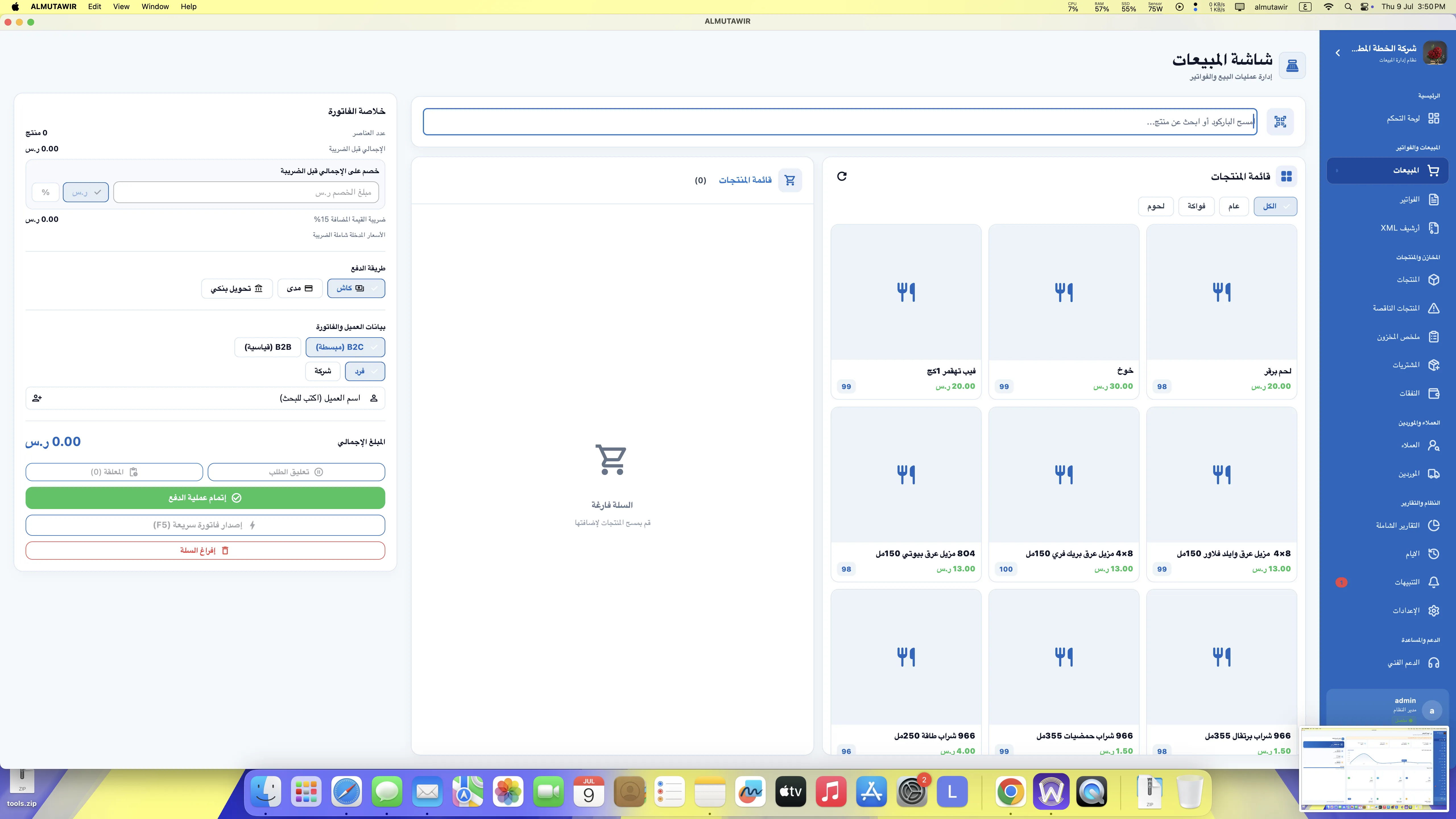
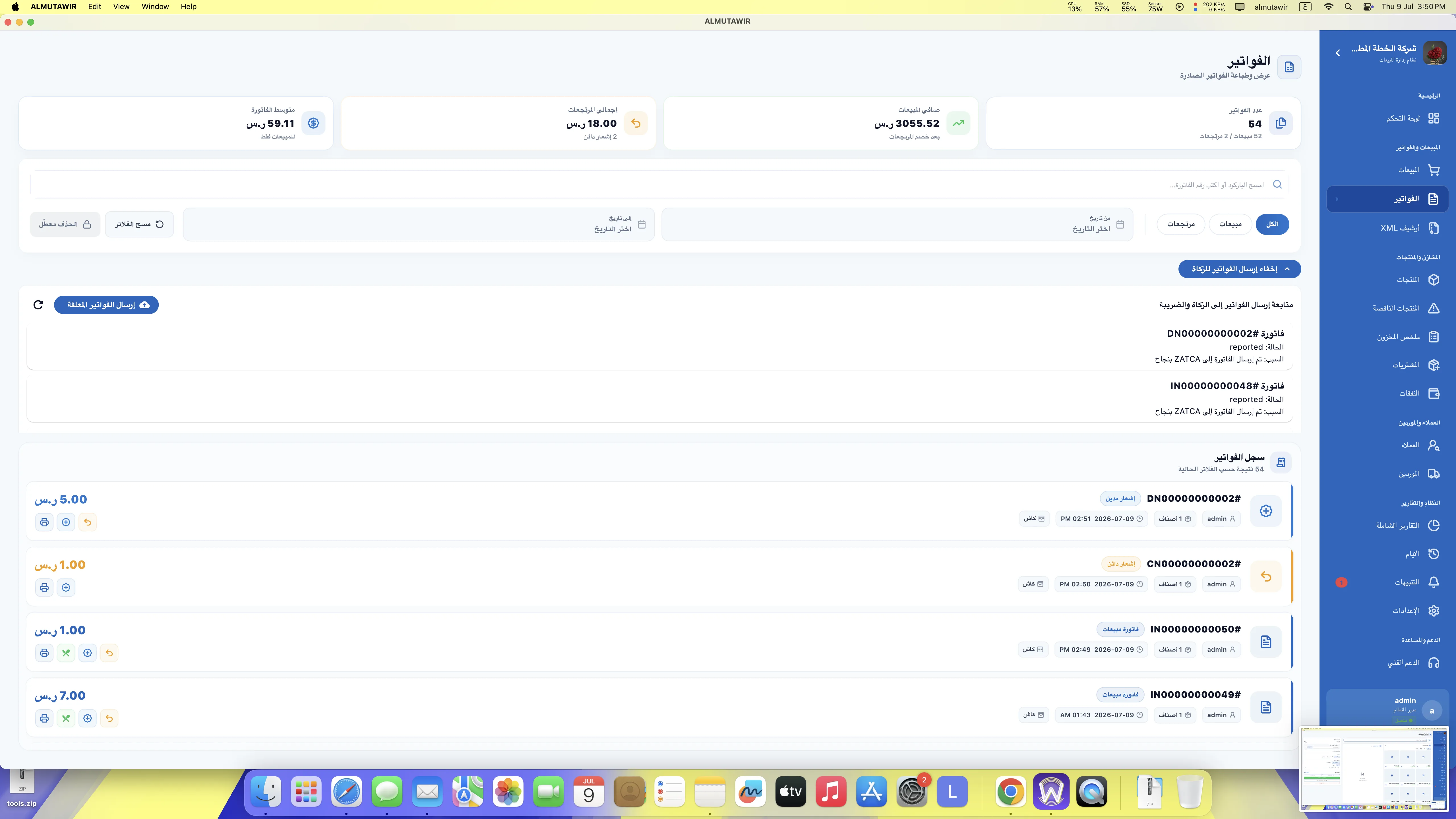
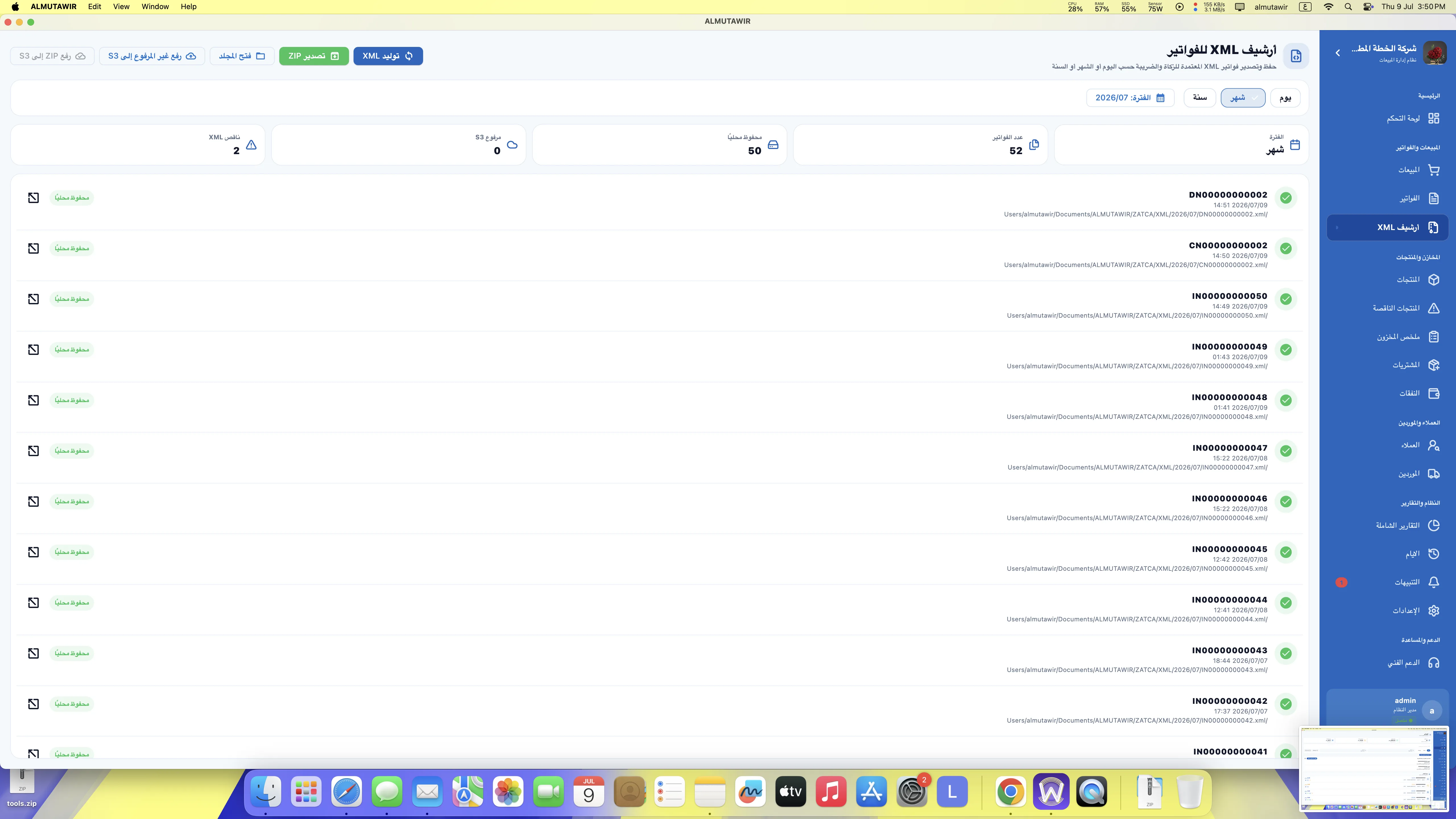
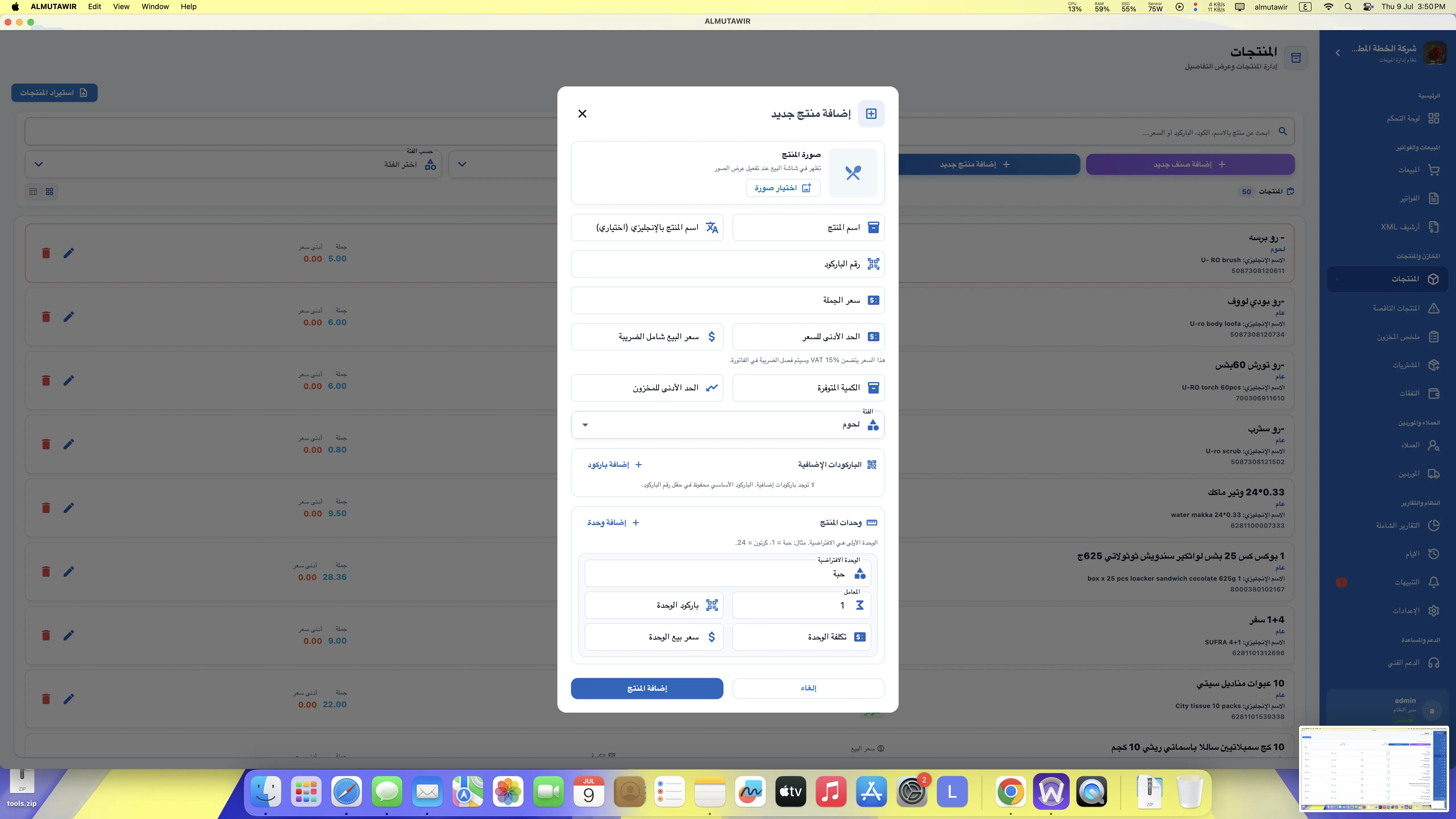
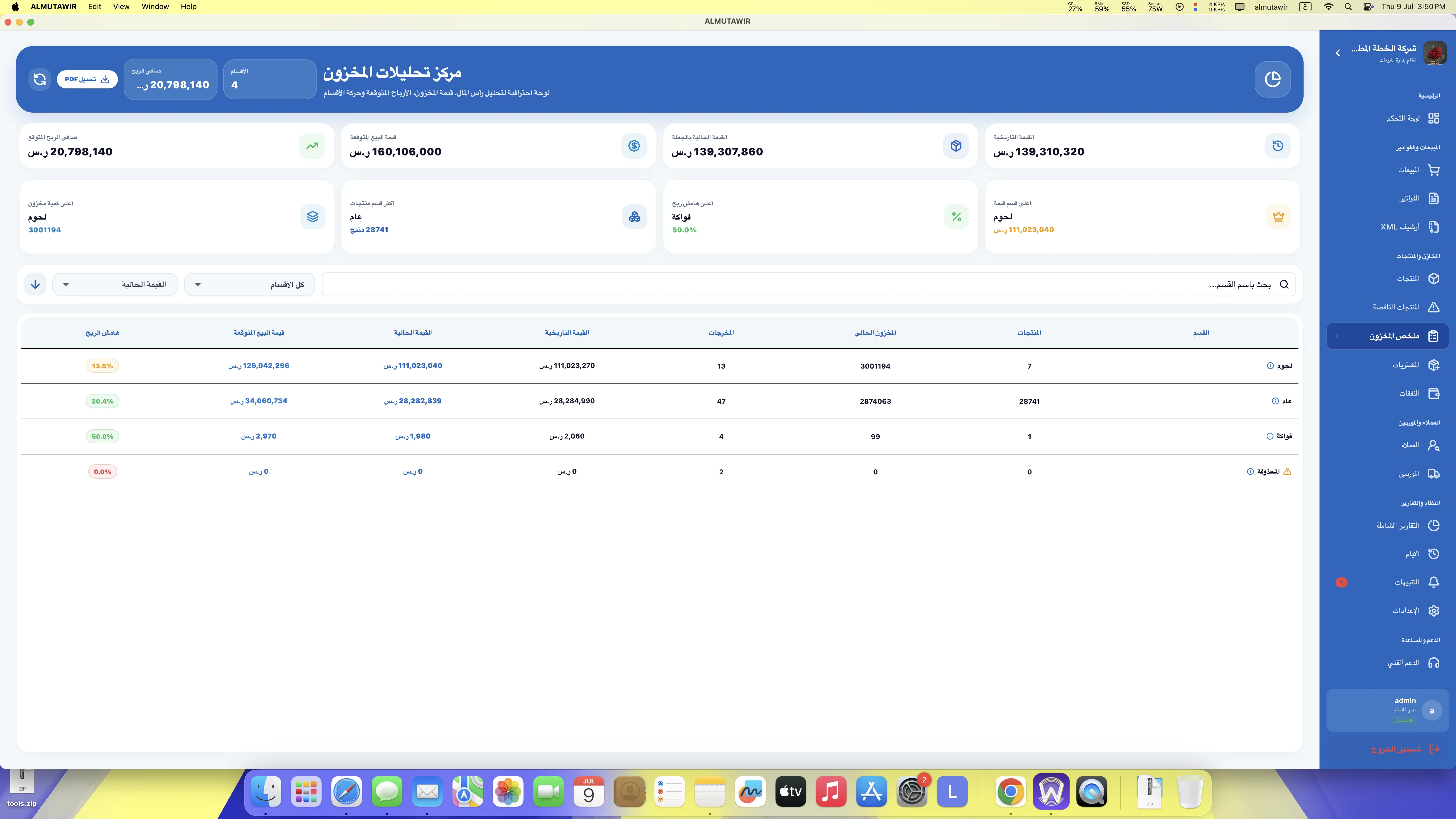
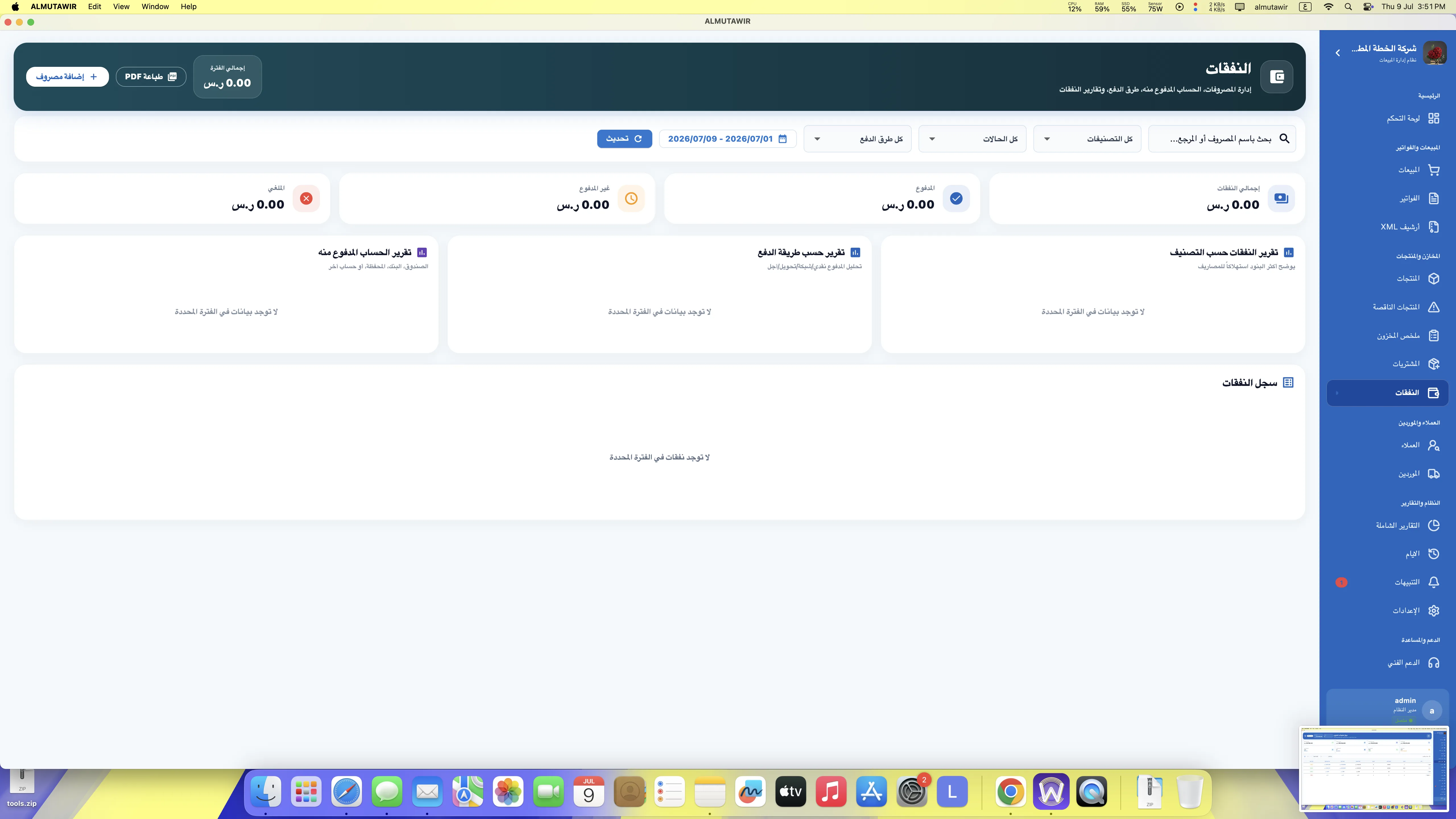
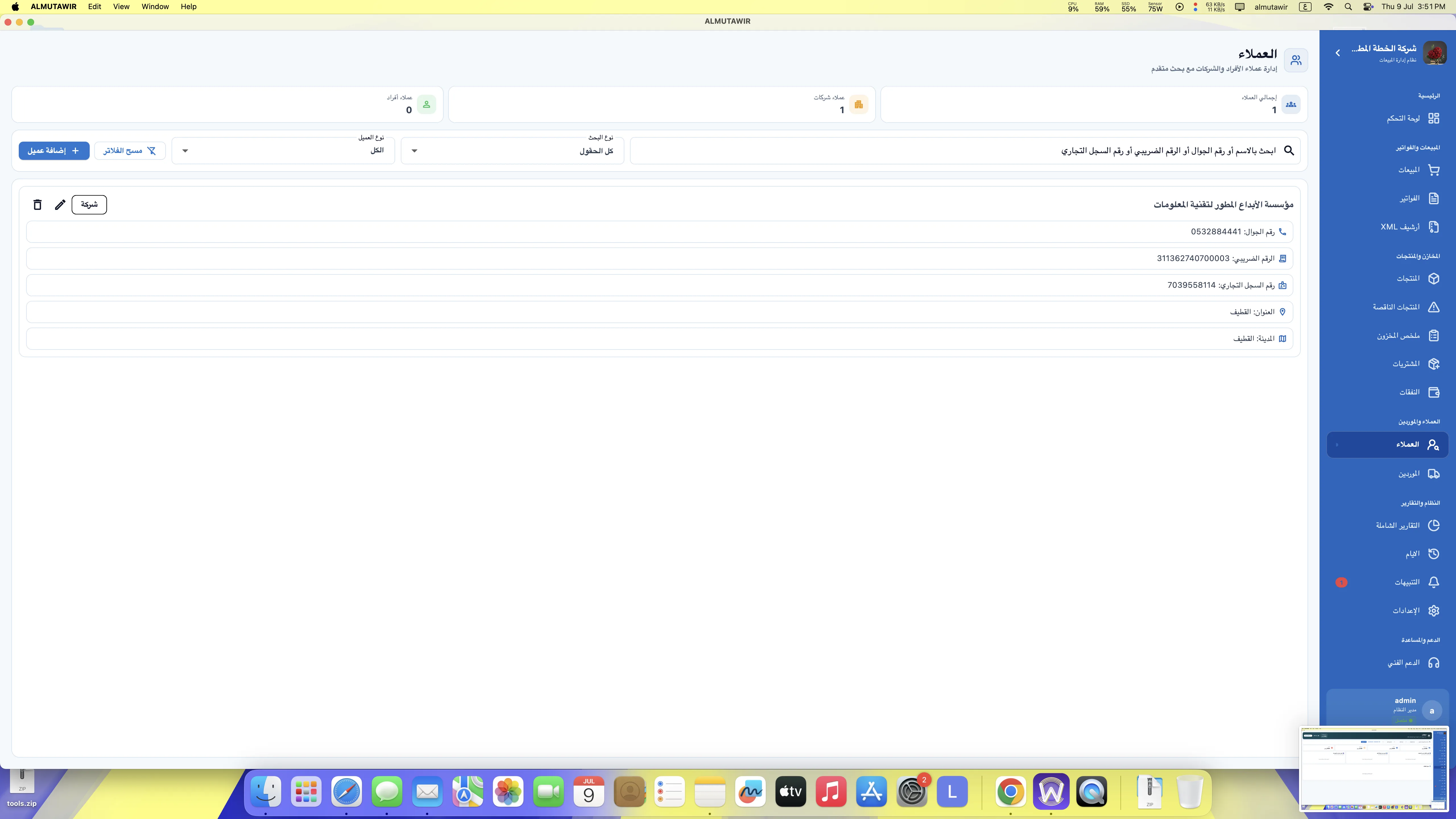
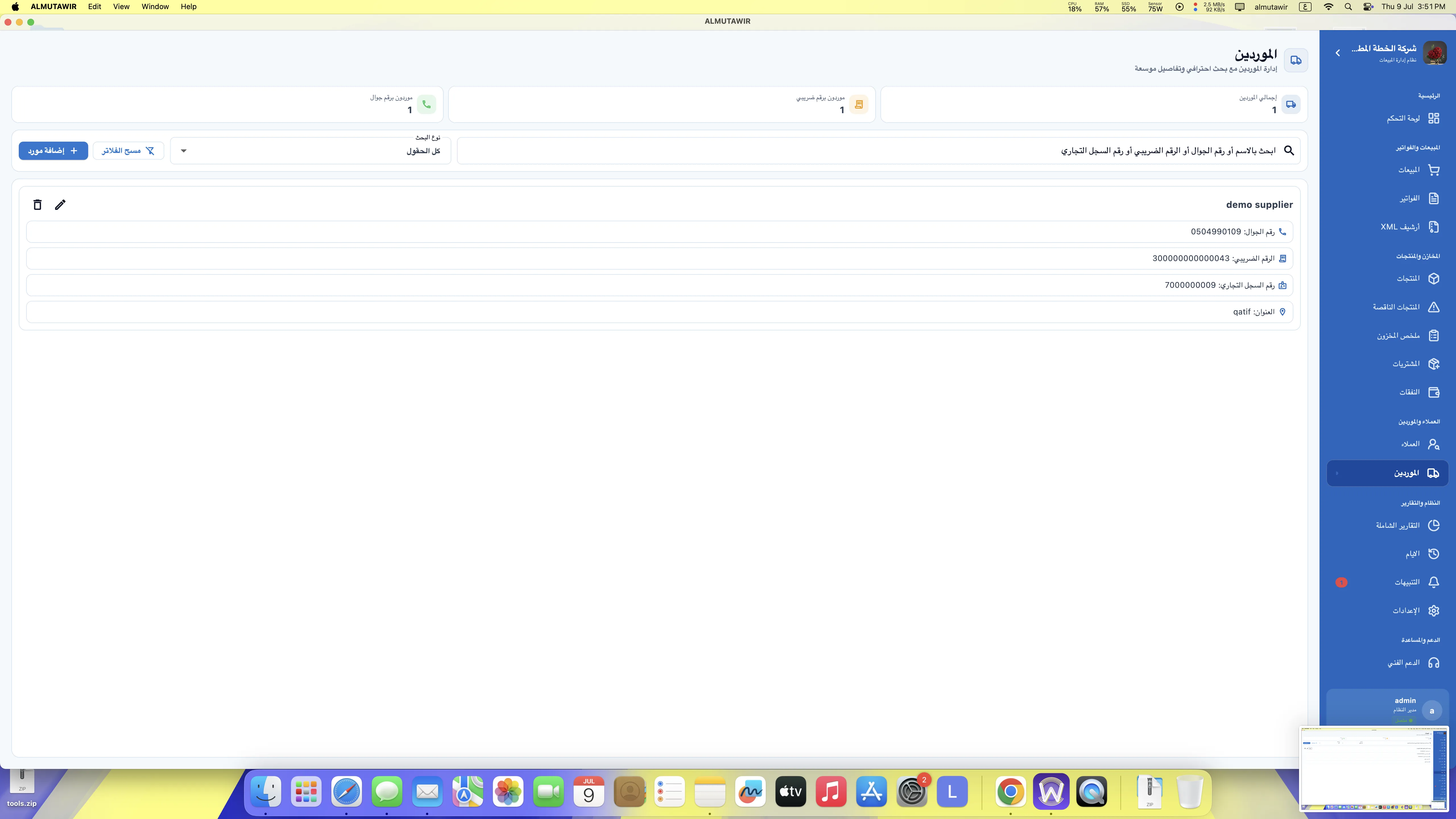
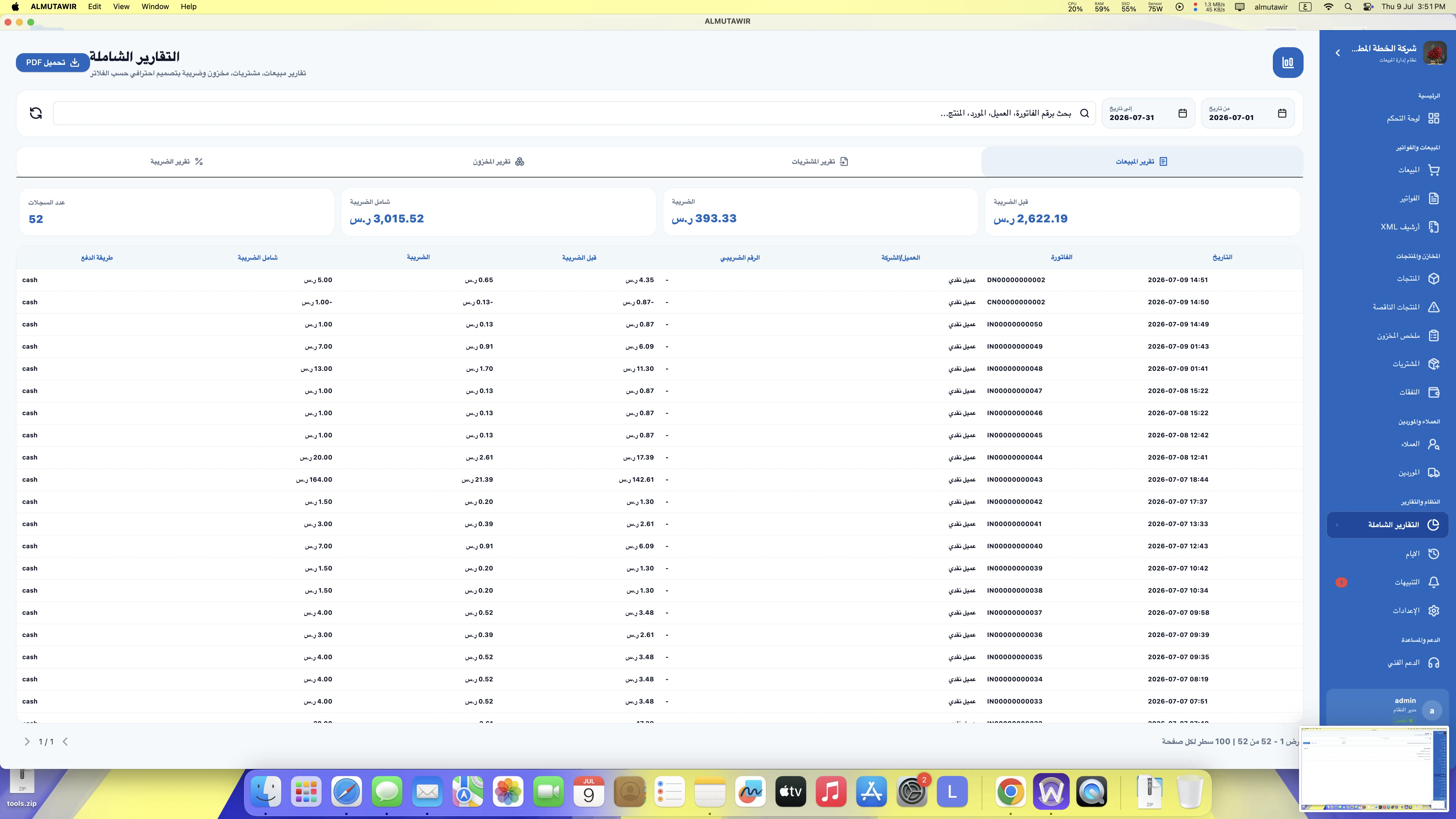
In this video, you can see a practical tour inside Almutawir Desktop POS, including the sales screen, products, invoices, printing settings, XML archive focus, and backup protection.
A desktop POS system for business owners who want a local software on their own computer without annual subscription.
No annual subscription. No recurring monthly payment. Pay once and use the desktop software on your computer.
Designed for Windows POS computers, cashier counters, barcode scanners, and thermal printers.
Available for macOS users who want a professional POS system on Apple computers.
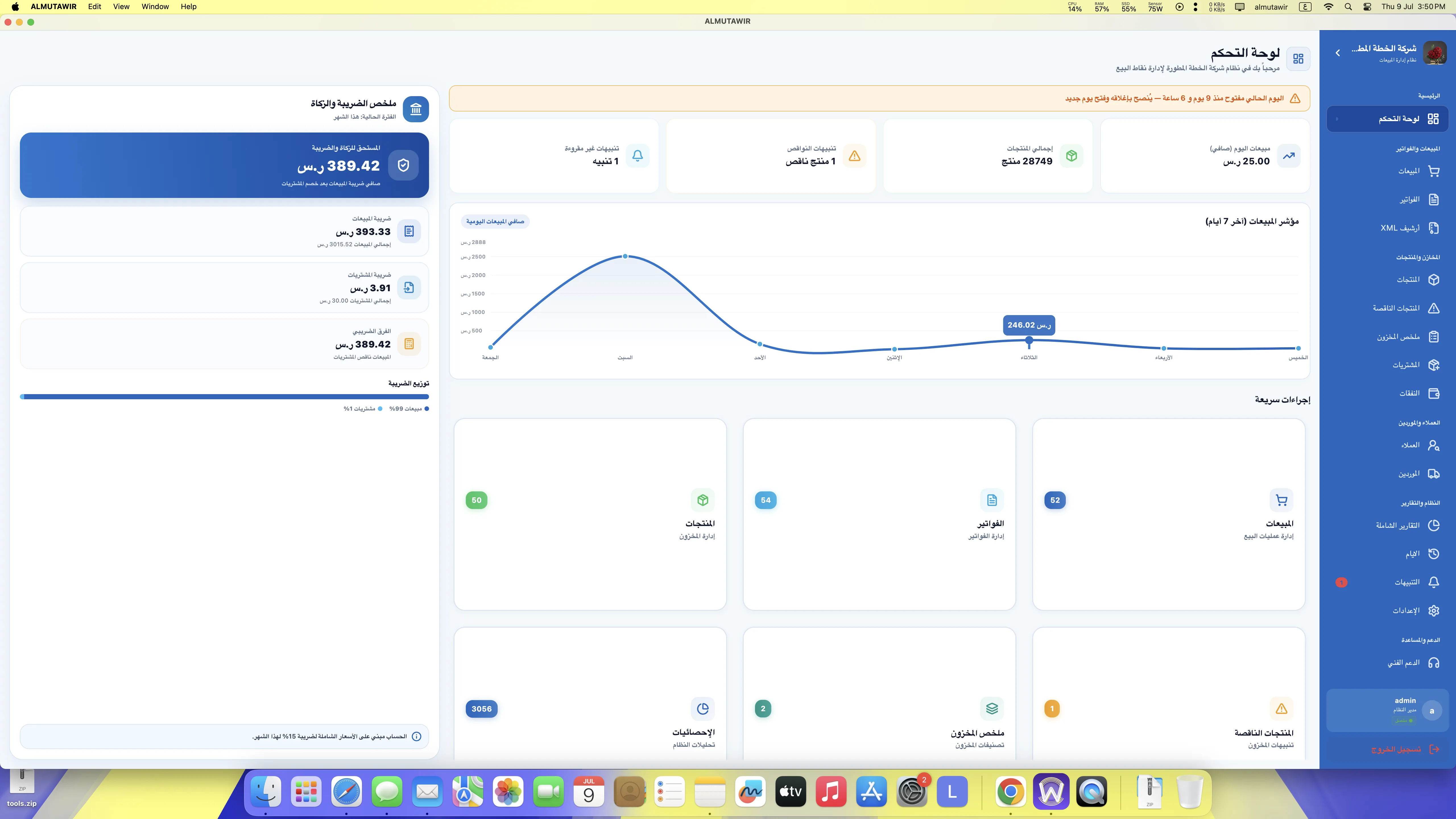
For groceries and minimarkets, a product database with more than 28,000 products can be imported with an agreed setup fee.
Barcode sales, product management, inventory, discounts, payment methods, and thermal receipt printing.
Backup is critical. What if the hard disk fails, the computer is formatted, stolen, or damaged?
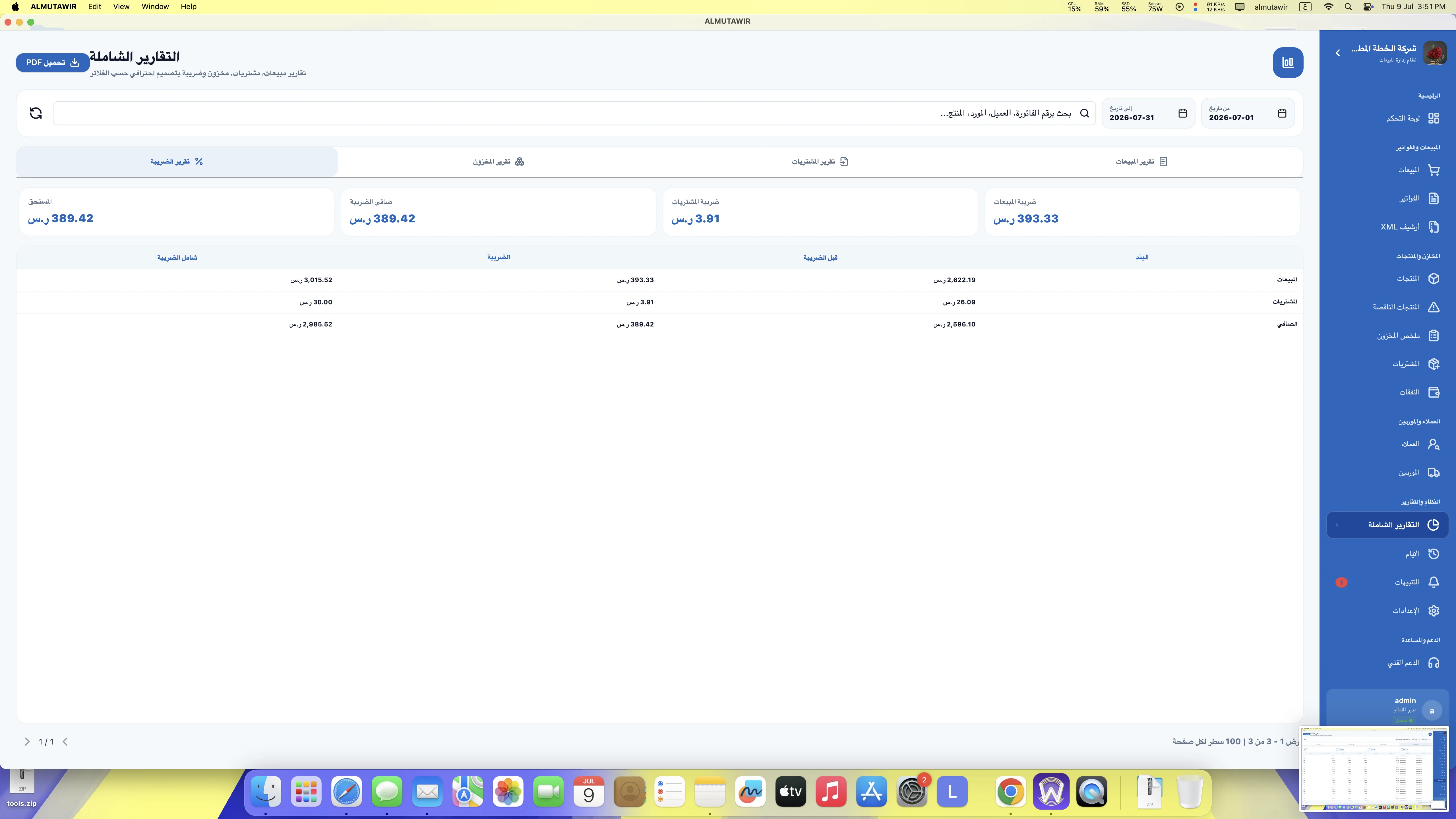
Many desktop POS systems only print invoices or save PDF files. But for e-invoicing readiness, XML invoice files are extremely important. If ZATCA asks for old XML invoice files after one or two years, will your current system have them?
Ask About XML ArchivePaper invoices are not enough for technical e-invoicing records. XML files and organized backups protect your business from future problems.
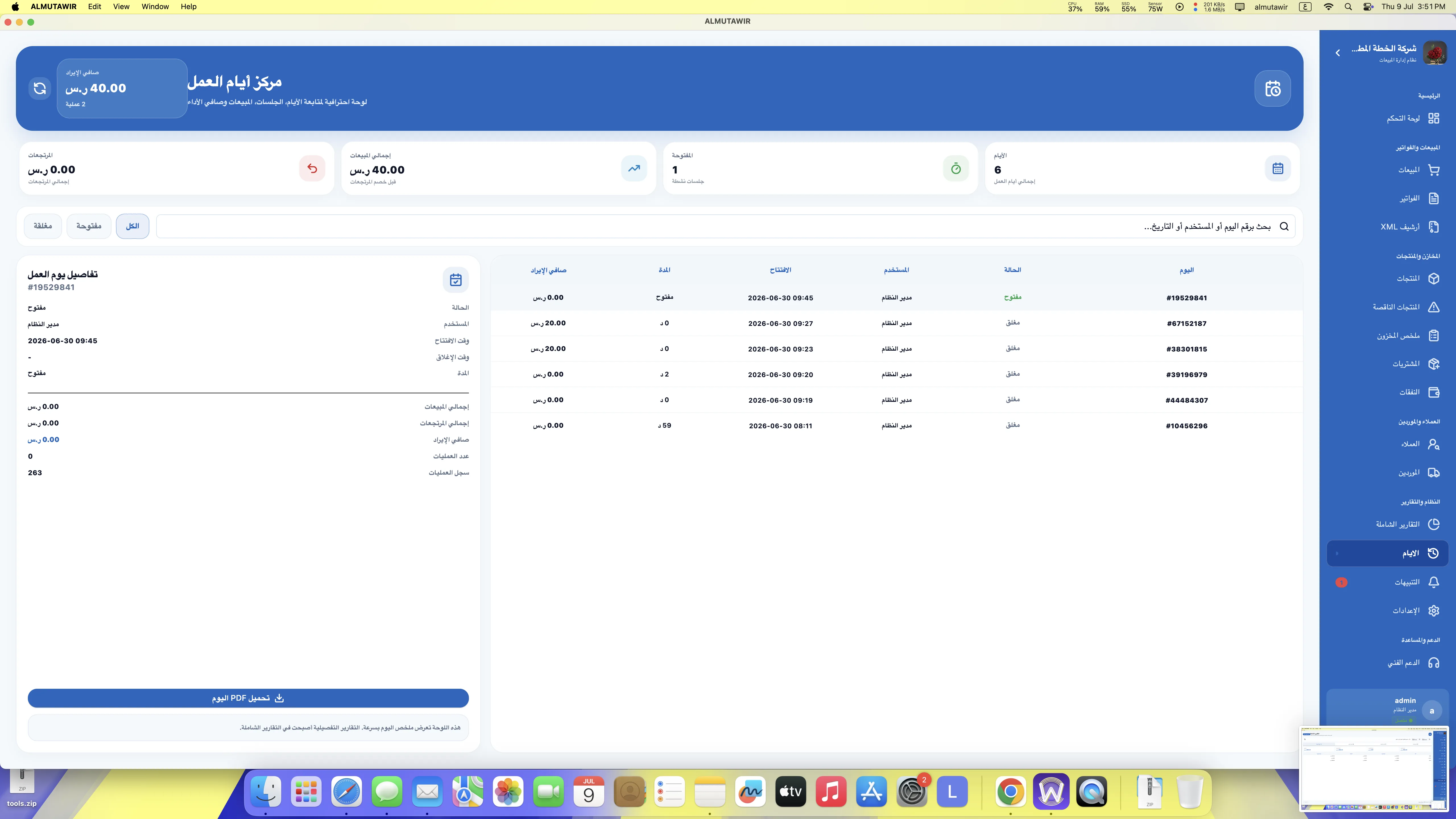
Screenshots from Almutawir Desktop POS.


This is a desktop software for Windows and macOS. It is separate from the cloud system.
Desktop POS and e-invoicing software.
0501031388
0532884441
This page is for the desktop version only. It is not the cloud ERP system. It is installed on your Windows or macOS computer and sold as a one-time purchase.